


Toddler Car Games For Kids 2-5
4.629.00 Reviews
App Specs
- Version
- 4.2.2
- Updated On
- License
- Free
- Downloads
- 10,000,000+
- Developer
- Toy Tap LLP
- Categories
- Educational
- Platform
- Android
Screenshots
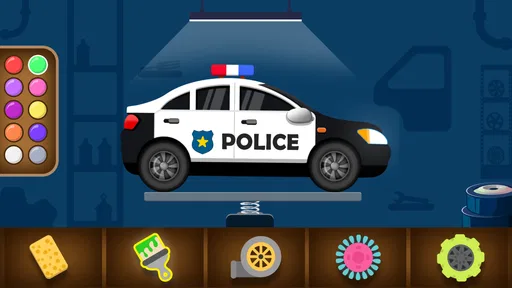
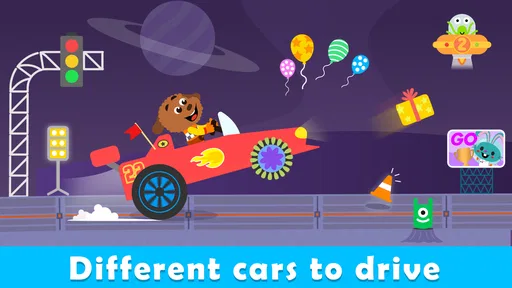
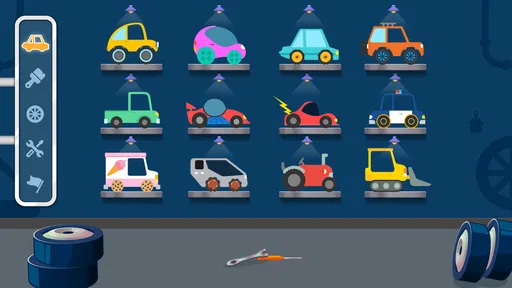
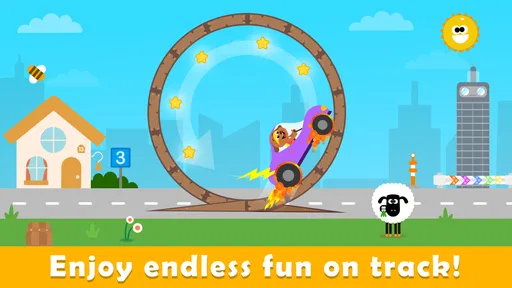
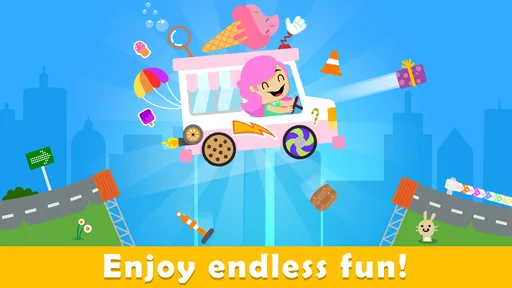
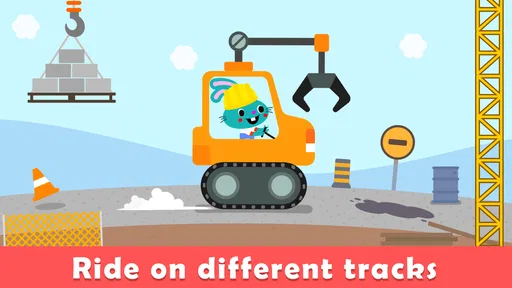
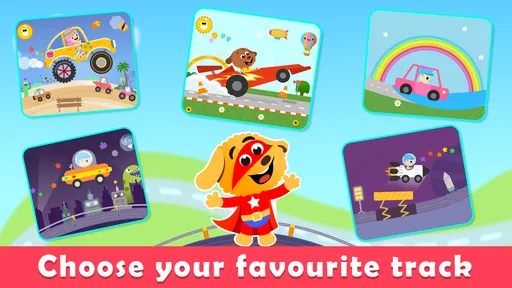

 Analysis by AppCompare
For many preschoolers, a car is more than a vehicle: it is a reason to sort, count, point, and ask questions. Toddler Car Games For Kids 2-5 uses that familiar interest as the setting for a collection of short learning activities. I see its main appeal in the way it gives a young child a playful theme to return to, rather than asking them to sit down with something that feels like a lesson.
The game is made by Toy Tap LLP and sits in the educational-games space, aimed at very young players. It is free to download, rated for Everyone, and has in-app purchases listed at $2.99 per item. Its 4.6 average from around 4.1 thousand ratings and more than 5 million installs suggest that many families have tried it, though popularity alone does not tell me whether it will suit a particular child. The useful question is whether the car theme and simple activities fit the way your child likes to play.
A Fun Drive into Learning
First things first, the interface of Toddler Car Games For Kids 2-5 is as bright and colorful as a child’s imagination. It’s easy to navigate, even for tiny fingers. From the moment you open the app, it’s clear that it's designed with kids in mind. The buttons are big and the graphics are delightfully vibrant, making it super engaging for the little ones.
Gameplay and Features
The app is packed with a variety of mini-games, each focusing on a different aspect of learning. Whether it's recognizing colors, shapes, or numbers, there's something for every curious mind. The games are intuitive, providing just enough of a challenge to keep kids interested without causing frustration.
One thing I absolutely love about this app is its sound design. The cheerful music and encouraging voice prompts create a positive and immersive environment for kids. It's like having a friendly co-pilot guiding them through each activity. This auditory feedback is great for reinforcing learning and keeping toddlers motivated.
Making a Short Play Session Count
I would treat this as a small, supervised activity rather than a substitute for hands-on play or a full teaching routine. A practical approach is to let a child try an activity, then talk about the same idea away from the screen: point out colors on toy cars, count a few objects together, or ask which shape they just matched. That gives the game’s prompts a real-world connection without turning a casual session into a test.
It can also help to stay nearby during the first few attempts. A toddler may understand the spoken cue but still need a moment to work out what to touch or drag. Rather than immediately taking over, I’d give them time to explore, then offer one calm hint if they get stuck. That keeps the child in control while making the first interaction less frustrating.
Worth Reading Before You Choose

Flipboard Shows What News Apps Must Do Beyond the Feed

Switching to Android Auto Means Rethinking Your Driving Routine

Google Calendar Makes a Crowded Week Easier to Manage

Ludo King Makes the Most of the Minutes Between Plans

Baby Panda World Brings Quick Play to Modern Phones, but Its Game Library Feels Busy

ESPN’s Live Game View Makes Following Close Games Easier
For a busy moment at home, I’d set a modest expectation: one activity while dinner is being prepared, or a brief turn before putting the device away. The car theme gives a child something familiar to focus on, but the screen can still be absorbing, so a clear stopping point is useful. If your child tends to resist transitions, tell them before they begin that this is a short turn, then follow through consistently.
Why Parents Will Love It
As a parent, it’s a relief to find an app that’s both entertaining and educational. With this game, you’re not just handing over your phone or tablet to your child; you’re giving them a tool to develop essential skills. The app encourages critical thinking and problem-solving, all while having a blast.
The parental controls are a nice touch, allowing you to limit screen time and monitor your child’s progress. Plus, it’s ad-free, so you don’t have to worry about unexpected pop-ups interrupting the fun. It’s all about the experience, and the developers have clearly put a lot of thought into ensuring it’s a safe space for children.
What to Expect from the Learning
For me, the strongest educational use is repetition without making practice feel like a worksheet. A child who enjoys vehicles may be more willing to revisit basic ideas when they are wrapped in car-themed play. Still, I would think of it as a prompt for recognition and practice, not proof that a child has mastered a skill. A correct tap can show familiarity in that moment; a conversation or activity away from the device gives you a better sense of what they understand.
One useful habit is to watch for what your child does without prompting. Do they identify a color before the voice cue finishes, or do they wait for help? Do they retry after a wrong move, or hand the device back? Those small observations can help you decide whether to keep the session simple, offer a little guidance, or switch to another activity. They are more useful than expecting every child to progress at the same pace.
The car framing also gives adults easy ways to extend play without adding more screen time. If the game brings up counting, count a few toy vehicles together; if it involves shapes, look for those shapes in a book or around the room. I like this bridge because it lets a child move from tapping to talking and handling objects, while keeping the original activity light and enjoyable.
Educational Impact
What stands out to me is how the app subtly incorporates educational elements into each game. It’s impressive how seamlessly they’ve blended learning with play. Kids can learn to count by loading cars onto a truck or recognize shapes by fitting puzzle pieces together. This approach is not only effective but keeps learning fresh and exciting.
Moreover, the app helps develop fine motor skills. The drag-and-drop mechanics and simple taps require precision, helping children improve their hand-eye coordination. It’s these small details that make a big difference in a child’s development, and this app nails it.
Where It Fits Among Toddler Apps
Compared with a basic coloring app, this is a better fit when a child is eager to follow a prompt, make a match, or interact with a simple task instead of freely drawing. Compared with a video, it asks for more active participation: the child has to tap or move something rather than simply watch. That difference can make a short session feel more engaging, although it does not make the device a replacement for shared reading, toys, or outdoor play.
It may be less suitable than an open-ended drawing or building activity for a child who prefers to invent their own stories and dislikes being guided toward a particular answer. Likewise, if you want a structured lesson plan with detailed teaching goals, this is not the kind of tool I would rely on by itself. Its strength is a low-pressure, car-themed way to practise early concepts, not a complete preschool curriculum.
One small but worthwhile trade-off is that a young child may need an adult to help navigate the difference between independent play and shared play. The interface is designed for little fingers, but that does not mean every toddler will immediately understand each activity. Sitting alongside them at first can reveal whether they are following the task or simply enjoying the colors and sounds. Either response is fine; it just helps you decide what the app is doing for your child.
Choosing the Right Moment and Device
The game is listed for devices running Android 7.0 or later, and its current version is 4.2.1. Before installing, I’d check that the device the child will use meets that requirement and has enough room for another game. Since it is free to download but includes optional purchases, I’d also review purchase settings on a shared device before handing it over. That is a sensible precaution for any app a young child can explore on their own.
Whether it works well on a phone or tablet will depend on the child’s comfort with the screen. Larger controls can be easier for small hands to target on a larger display, while a phone may be more convenient for a quick supervised turn. I would choose the device that lets the child tap accurately without holding it awkwardly, and keep it stable on a table if they are still learning how to control touch gestures.
Age labels are a starting point, not a promise that every child in that range will find the same activities easy. A younger toddler may enjoy the visuals and sound before understanding the task, while an older preschooler may want a more demanding challenge. If your child loses interest quickly, try a shorter turn or join in with a simple question rather than insisting they finish. If they are already asking for more complex puzzles or open-ended play, another app or an offline activity may be a better match.
The Verdict
In a world where digital entertainment is everywhere, finding an app that combines fun with learning is a jackpot for parents. This is a useful option to have in your digital toolkit. It's engaging, educational, and, most importantly, it’s a joy for kids to play.
So, if you’re on the lookout for an app that will keep your child entertained while also giving them a head start on learning, give this one a spin. It’s a delightful drive into the world of early education, and I’m sure your toddlers will love every minute of it.
I would recommend it most to families with a car-loving toddler who enjoys simple matching, counting, and touch-based activities, especially when an adult can be nearby to help make the ideas part of everyday play. I’d skip it if you are looking for a fully independent activity for a child who is not ready to navigate touchscreens, or for a deep, structured teaching program. Used in short turns and paired with conversation, it can be a pleasant way to make a little screen time more interactive.
Pros
- Engaging and colorful graphics.
- Simple controls for easy navigation.
- Wide variety of vehicles to explore.
- Educational content enhances learning.
- Safe
- ad-free environment for kids.
Cons
- Limited content in the free version.
- Requires internet for some features.
- May not challenge older kids.
- In-app purchases can add up.
- Sound effects can be repetitive.
FAQs for Toddler Car Games For Kids 2-5
What age group is Toddler Car Games For Kids 2-5 designed for?
Toddler Car Games For Kids 2-5 is specifically designed for children between the ages of 2 and 5. The app incorporates simple controls and colorful graphics that are easy for young children to understand and engage with, providing an entertaining and educational experience tailored to their developmental stage.
Is Toddler Car Games For Kids 2-5 educational?
Yes, the app is designed to be both entertaining and educational. It helps young children develop fine motor skills, hand-eye coordination, and basic problem-solving abilities through interactive gameplay. The app often includes counting, color recognition, and shape identification tasks, making learning fun and engaging.
Does the app include in-app purchases or ads?
Toddler Car Games For Kids 2-5 may include in-app purchases and ads. It's important for parents to review the app settings and ensure that any in-app purchasing options are disabled if they wish to avoid accidental purchases. Ads are usually kid-friendly but should be monitored by parents.
Is the app safe for my child to use?
Toddler Car Games For Kids 2-5 is developed with safety in mind. It typically includes parental controls to prevent children from accessing unsuitable content. However, parents should ensure that the app is downloaded from a reputable source and review any permissions requested during installation.
Can Toddler Car Games For Kids 2-5 be used offline?
Many features of Toddler Car Games For Kids 2-5 can be accessed offline, making it convenient for use in areas without internet access. However, some updates or additional content may require an internet connection. It's advisable to check the app's requirements for a complete offline experience.


